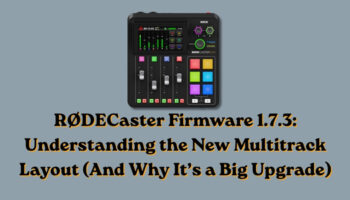
If you’ve recently updated your RØDECaster Pro II or RØDECaster Duo to firmware 1.7.3, you may have noticed something immediately:
Your multitrack outputs don’t look the same anymore.
At first glance, this change can feel confusing—especially if you rely on consistent channel mapping in your DAW or streaming software. But once you understand what RØDE has done here, it becomes clear that this isn’t just a change.
It’s a meaningful upgrade.
What Changed in Firmware 1.7.3?
The most significant change in firmware 1.7.3 is a complete redesign of the multitrack USB output layout.
Previously, multitrack outputs were less structured. Channel assignments were not always intuitive, stereo pairing could feel inconsistent, and some sources were not available as isolated USB outputs.
With this update, RØDE has moved to a more structured, fader-based stereo pairing system. The result is a layout that is easier to interpret, more consistent across devices, and far more flexible for recording and streaming workflows.
Before vs After: The Key Differences
Previous Multitrack Layout (RØDECaster Pro II)
| Channel | Source |
|---|---|
| 1 | Mix L |
| 2 | Mix R |
| 3 | XLR/TRS 1 |
| 4 | XLR/TRS 2 |
| 5 | XLR/TRS 3 |
| 6 | XLR/TRS 4 |
| 7 | Bluetooth L |
| 8 | Bluetooth R |
| 9 | SMART Pads L |
| 10 | SMART Pads R |
| 11 | USB Main L |
| 12 | USB Main R |
| 13 | USB Chat L |
| 14 | USB Chat R |
| 15 | USB Secondary L |
| 16 | USB Secondary R |
Previous Multitrack Layout (RØDECaster Duo)
| Channel | Source |
|---|---|
| 1 | Mix L |
| 2 | Mix R |
| 3 | XLR/TRS/Wireless 1 |
| 4 | XLR/TRS/Wireless 2 |
| 5 | Bluetooth L |
| 6 | Bluetooth R |
| 7 | SMART Pads L |
| 8 | SMART Pads R |
| 9 | USB Main L |
| 10 | USB Main R |
| 11 | USB Chat L |
| 12 | USB Chat R |
| 13 | USB Secondary L |
| 14 | USB Secondary R |
| 15 | Headset Microphone |
| 16 | (Not Used / Reserved) |
New Multitrack Layout (Firmware 1.7.3)
One of the most important aspects of this update is that both devices now use 20 USB channels arranged in stereo pairs, but the layout differs slightly depending on the device.
RØDECaster Duo (20 Channels)
| Channels | Source |
|---|---|
| 1–2 | Stereo Mix |
| 3–4 | Fader 1 |
| 5–6 | Fader 2 |
| 7–8 | Fader 3 |
| 9–10 | Fader 4 |
| 11–12 | Virtual Fader 1 |
| 13–14 | Virtual Fader 2 |
| 15–16 | Virtual Fader 3 |
| 17–18 | Virtual Fader 4 |
| 19–20 | Virtual Fader 5 |
RØDECaster Pro II (20 Channels)
| Channels | Source |
|---|---|
| 1–2 | Stereo Mix |
| 3–4 | Fader 1 |
| 5–6 | Fader 2 |
| 7–8 | Fader 3 |
| 9–10 | Fader 4 |
| 11–12 | Fader 5 |
| 13–14 | Fader 6 |
| 15–16 | Virtual Fader 1 |
| 17–18 | Virtual Fader 2 |
| 19–20 | Virtual Fader 3 |
While both devices now follow the same stereo-pair structure, the difference reflects their design:
- The RØDECaster Duo leans more heavily on virtual faders
- The RØDECaster Pro II includes more physical faders
Why This Change Matters
Although the update may require some adjustment, it addresses several limitations of the previous system.
Consistent Channel Structure
The new stereo pairing system removes ambiguity. Instead of tracking individual channel assignments, users can now think in clearly defined source pairs, making setups easier to understand and maintain.
Better Alignment with the Hardware
Multitrack outputs now more closely reflect what is happening on the device itself. Faders, sources, and outputs are more tightly connected, reducing the mental gap between hardware and software workflows.
Expanded Multitrack Capabilities
One of the most important improvements is the inclusion of additional sources in multitrack output.
Previously, certain inputs—such as virtual devices and CallMe—were limited to stereo mix output or recordings made directly on the device. With firmware 1.7.3, these sources are now available as isolated tracks over USB, providing significantly more flexibility in post-production and live workflows.
Why Your Setup May Be Misaligned After Updating
If your recordings or streams suddenly appear incorrect after updating, the issue is not with your device—it is with expectations based on the previous layout.
Common causes include:
- Software still mapped to the old channel layout
- Inputs now assigned to different USB channel pairs
- Changes in how stereo signals are grouped
As a result, tracks may appear on unexpected channels, inputs may seem missing, and existing templates may no longer function correctly.
How to Adapt to the New Layout
Adjusting to the new system does not require a complete rebuild, but it does require a shift in approach.
First, reference the updated channel layout above and identify where each source now lives within the stereo pair structure.
Next, update your software input assignments to match the new mapping. Avoid relying on previous configurations, as they will no longer align correctly.
If you use templates, create updated versions that reflect the new structure. Clear labeling will help avoid confusion moving forward.
Most importantly, begin thinking in terms of stereo pairs rather than individual channels. This shift in perspective is key to understanding and effectively using the new system.
Quick Reference Cheat Sheet
- 20 total USB channels (instead of 16)
- Channels grouped in stereo pairs
- Each pair maps directly to a fader or virtual source
- Device layout differs slightly between Duo and Pro II
- Virtual and CallMe sources now available in multitrack
- Old templates will likely need updating
My Take After Using the Update
After working with firmware 1.7.3 on my own RØDECaster, the advantages become clear fairly quickly.
While the initial adjustment can be disruptive, the long-term benefits are significant.
The most noticeable improvement is how well the multitrack output now aligns with the faders on the device. What you see and control on the hardware translates much more directly into your recordings.
Additionally, having access to virtual devices and CallMe as isolated multitrack sources is a substantial upgrade. These inputs were previously limited to stereo outputs or onboard recordings, which restricted flexibility in external workflows. Their inclusion in USB multitrack opens up far more control in both recording and streaming environments.
Overall, the routing structure feels more intentional, consistent, and scalable.
Should You Update?
Yes.
Even with a short adjustment period, the improvements introduced in firmware 1.7.3 make it a worthwhile update.
You gain increased control over your audio, more consistent routing, and access to sources that were previously unavailable in multitrack workflows.
Final Thoughts
Firmware 1.7.3 represents a meaningful shift in how the RØDECaster handles multitrack audio.
It replaces a less structured system with one that is more predictable, more flexible, and better aligned with modern production workflows.
Once you take the time to understand the new layout and update your setup accordingly, the benefits become clear. The system is easier to manage, more powerful in practice, and better suited for both recording and streaming use cases.
And once it clicks, it is difficult to go back to the old way of doing things.